
From Gaming Hobby to Side Hustle: Building a Better Audio Setup
Gaming can remain a hobby while giving you a useful starting point for creative work.
If you already spend time playing, talking with friends, analyzing matches, or following new releases, you already have material that can become videos, streams, reviews, tutorials, podcasts, or commentary.
A better audio setup helps you present that material with confidence, while it also makes recording less frustrating. Ultimately, you don’t need a studio full of expensive hardware to start creating something people want to hear.
Sound deserves attention because viewers can forgive modest visuals when your commentary is clear, engaging, and easy to follow.
Poor audio creates friction immediately, so keyboard noise, room reflections, uneven volume, or a distant microphone can make strong content feel harder to consume.
Creator equipment has also become increasingly accessible, with capable USB models available at entry-level prices and more advanced USB/XLR microphones serving people who want greater flexibility.
You also do not need to become an audio engineer before recording your first piece.
A USB microphone, comfortable headphones, and sensible positioning can produce a substantial improvement, while basic software controls can handle much of the finishing work.
Understanding the differences between dynamic and condenser microphones along with your room and recording habits, can help you make a more informed purchase.
Your best setup should reflect what you actually want to make.
If you plan to stream several evenings each week, you need reliable monitoring and quick controls, while a reviewer might care more about clean voice recordings that can be edited later.
A tutorial creator needs consistency across multiple takes, while a casual streamer might prioritize convenience. The smartest first purchase is therefore the piece of equipment that removes your biggest recording problem, so your setup supports the work you genuinely enjoy.
Turning gaming into a practical side hustle
The best side hustles for gamers now extend well beyond competitions or trying to earn money from gameplay itself.
Options include streaming, video creation, game testing, coaching, eSports, reviews, and gaming-related services. That range matters because you can choose an approach that fits your existing strengths. If you enjoy explaining mechanics, you can create tutorials. If you enjoy conversation, streaming or podcast-style content can feel natural. If you notice details, reviews can become your specialty.
Streaming remains a large creator category, although the market is crowded.
Streamlabs and Stream Hatchet reported 21.5 billion hours watched across tracked livestreaming platforms during Q2 2026, with total viewing broadly stable from the previous quarter and up 7.6% year over year.
YouTube Live recorded 12.97 billion hours watched, while Twitch recorded 4.52 billion. Those figures show substantial audience demand, yet they also show why simply going live is unlikely to create an audience by itself.
You can make the work more useful when one gaming session produces several pieces of content.
A live session can become a longer video, several short clips, a strategy explanation, or a discussion about a game’s design. That approach gives your microphone more opportunities to earn its place on your desk, since the same clean voice recording can support several formats. You also gain a repeatable production routine, making a side project feel more manageable after a full day of other responsibilities.
Your equipment still needs to stay within realistic financial limits.
A premium microphone cannot create an audience, while a $300 setup cannot compensate for weak ideas or inconsistent publishing. If you spend $100 on a microphone and use it several times each week, the purchase has a clear practical purpose. If you spend $500 before recording anything, the decision becomes harder to justify. Your content should gradually tell you what equipment deserves your next investment.
Start with the microphone, not the shopping list
Your microphone is usually the most noticeable audio upgrade when gaming becomes content production.
Options range from inexpensive USB microphones and mid-range desktop models to USB/XLR hybrids and more advanced streaming systems. Models like the Shure MV6, NZXT Capsule Elite, Sennheiser Profile Streaming Set and Shure MV7+. illustrate the range of prices and features available, giving you room to choose according to your actual workflow.
USB microphones make sense when simplicity matters most. You connect the microphone to your computer, select it in your recording software, set the input level, and start working.
XLR equipment offers more routing flexibility when you eventually want an audio interface, multiple microphones, or physical mixing controls. That flexibility can become valuable as your production grows, yet it also introduces extra hardware and configuration. For a first setup, simplicity often keeps your attention on the content itself.
Microphone type also deserves some thought. Dynamic microphones like the Shure SM57 can suit gaming rooms where fans, keyboards, or nearby conversations create unwanted sound, while condenser microphones can capture greater detail when you have a quieter recording space.
Neither category guarantees excellent results.
Distance, angle, gain, room reflections, and speaking technique all influence the recording. A reasonably priced microphone positioned close to your mouth can outperform a more expensive model sitting too far away, so technique deserves attention alongside specifications.
You should also resist solving every problem with software.
Noise suppression, compression, equalization, and gates can improve a recording, but they work best when your original signal is already clean. Start with sensible placement, comfortable gain, and a short test recording. Listen through headphones before you begin a long session. If your voice sounds distant, move the microphone closer. If it clips, lower the input. Those simple changes can produce surprisingly large improvements without adding another piece of equipment.
Build a setup that works for real gaming
Your gaming audio setup has two jobs, since you need to hear the game clearly while your audience needs to hear you clearly.
Those goals can conflict when game audio overwhelms your voice or when headphone leakage reaches the microphone.
Closed-back headphones can provide stronger isolation, while a gaming headset can remain perfectly practical when convenience matters. Current 2026 headset guides continue to assess microphone performance alongside comfort, sound quality, battery life, and connection options.
Headphone choice should follow your actual use.
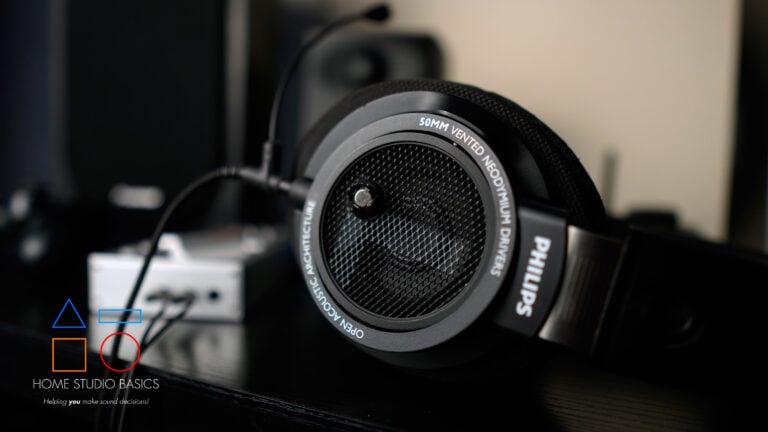
Competitive players often prioritize positional detail, low latency and comfort during long sessions, while reviewers might care more about balanced playback across dialogue, music and effects. Open-back headphones can create a spacious listening experience, but they also leak sound into a nearby microphone.
Closed-back models reduce that leakage. You do not need the most expensive pair available, since reliable monitoring is the more important goal for recording and gaming.
Your desk layout deserves attention too.
A boom arm can keep the microphone at a consistent distance while freeing up useful desk space, and a pop filter can reduce certain bursts of air from speech. Good cable routing also prevents small annoyances from becoming daily obstacles. If your microphone blocks your monitor, your cable catches your mouse, or your headphones become uncomfortable after an hour, the setup starts consuming your attention. Convenience has real value when you record regularly, particularly when gaming sessions run for several hours.
Room acoustics matter just as much as equipment selection.
Bare walls, hard desks, and large reflective surfaces can make speech sound boxy or distant, while rugs, curtains, bookshelves, and soft furnishings can reduce some reflections. You do not need to rebuild your room. Moving your recording position, adding a soft surface, or changing microphone placement can sometimes deliver a noticeable improvement. Your computer fan also deserves attention, since a sensitive microphone can capture every cooling cycle during quiet passages.
Make your audio useful across different content
A strong gaming microphone can support much more than livestreams. You can use the same setup for reviews, tutorials, podcasts, interviews, voiceovers, commentary, and recorded gameplay.
Many microphones marketed toward gaming are also capable tools for podcasting and general voice recording. That flexibility changes how you view the purchase, as you are investing in a recording tool that starts with gaming, while its useful life can extend into several forms of content.
Imagine an evening session with a new multiplayer game. You could stream the match, then save a useful strategy discussion for a separate video. A funny exchange could become a short clip, while a detailed explanation could become a tutorial. A conversation about the game’s design could become an audio segment. Each format needs editing, but the same microphone recording supplies the foundation. Good source audio gives you more options after the gaming session ends, so your effort can travel further.
Your voice also becomes part of your presentation style.
You don’t need to copy the loudest or most energetic creator in your category. A calm explanation can work beautifully for technical tutorials, while fast commentary can suit competitive games. Thoughtful criticism can support reviews, while relaxed conversation can suit streams. Your microphone should capture the way you naturally communicate. The more comfortable you become with your own delivery, the easier it becomes to develop a recognizable style.
Separate audio tracks can make editing considerably easier. If your microphone, game audio, music, and other sources remain independently adjustable, you can lower the game beneath an important explanation or remove an unwanted section without affecting everything else. That flexibility matters when you repurpose recordings. It also gives you a clearer way to review your own speaking habits, since you can hear moments when you rush, drift away from the microphone or allow your volume to change during a longer recording.
Turn better sound into a better workflow
A strong audio setup becomes genuinely valuable when it makes production easier.
Create a repeatable recording position, keep your microphone at a consistent distance, set a comfortable input level, and save your preferred software settings. Those routines reduce the number of decisions you make each time you sit down. Consistency also makes editing faster, since your recordings start with similar characteristics. The goal is a setup that feels familiar enough that recording becomes almost automatic.
Software can handle much of the finishing work after you capture a clean signal. Compression can reduce large differences between quiet and loud speech, while equalization can help remove unwanted low frequencies or improve vocal clarity. A noise gate can reduce room sound during pauses, while noise suppression can help with persistent background noise. These tools need restraint. Heavy processing can make speech sound unnatural, so listen carefully after each adjustment and compare your processed recording with the original.
You should create a simple quality-control routine too.
Listen to the first minute of every important recording through headphones, check your microphone level, check game volume, and listen for background noise. Record a short test whenever you change equipment. Those checks take very little time compared with discovering after a three-hour session that your microphone was muted or your game audio overwhelmed your commentary. A dependable routine protects your time, becoming increasingly valuable as your output grows.
Most importantly, treat audio as part of your creative process.
A better microphone cannot choose the funniest moment from a match, explain a difficult mechanic, or decide which opinion deserves a video. Those decisions come from you. Good equipment simply gives those decisions a clearer route to the listener. Once you understand that distinction, spending becomes easier to control. You can improve the technical side of your work without losing sight of the reason you started creating in the first place.
A gaming side hustle can begin with surprisingly little equipment.
Your existing computer, headphones, a capable headset microphone, and recording software can give you enough infrastructure to test an idea. A standalone USB microphone becomes a logical next step when your recordings reveal that voice quality is limiting the result. More advanced equipment can follow when your production volume, audience, or creative ambitions justify it. You can build the setup around proven needs, not hypothetical future projects.
Your strongest advantage can come from combining gaming knowledge with communication skills and dependable production.
Someone who explains complex mechanics clearly can build educational content, while someone with strong opinions can develop reviews. A skilled competitive player can provide analysis, while an entertaining player can focus on commentary. Better audio supports each approach by making your delivery easier to follow. It also lets you reuse recordings across formats, making limited free time more productive.
The most sensible goal is not the most impressive gaming studio you can afford. It is a setup that makes you want to create consistently.
Start with clear speech, comfortable monitoring, sensible levels, and reliable connections. Learn how your microphone behaves, improve your room when necessary, and add equipment when a specific limitation appears. Over time, your hobby can become a capable creative practice, while your audio setup grows with the quality, confidence and ambition of your work.
Well, that’s about it for today my friend! I hope you’ve enjoyed this guide on how to build a better gaming audio setup and came away with some valuable insight.
Questions? Comments? Requests? Did I miss the mark on something? Please leave them down below or Contact me!!
If you love what I do here and want to support the blog and channel in a more personal way, check me out on Patreon and discover all the value I have to offer you.
What games are you currently playing? I would love to hear from you. Until next time…
All the best and God bless,

-Stu
[Xtr@Ba$eHitZ] > Now AudioFiles Anonymous