The 6 Best Budget Studio Monitors For Mixing In 2026
Greetings mate and Welcome aboard!
Stuart Charles here, HomeStudioBasics.com helping YOU make sound decisions leading to a beautiful audio experience that will make you fall in love with music (NOT gear) all over again, so…
Today we’re going to take a look at 6 of the best studio monitors for mixing in 2026, from affordable entry-level options to more serious studio speakers that can serve you well for years to come!
We’ll also cover Room size, treatment, what you’ll need, as well as how to set up your monitors for ideal listening.
I used to primarily mix on headphones, but over time I’ve come to prefer working with speakers and monitors. That’s really how music was meant to be heard, and it gives a more natural perspective—especially when it comes to panning instruments, vocals, and other elements across the stereo field.
Because of that, I see studio monitors as a mandatory addition to your lab. They’ll last you a long time and provide excellent reference-level sound to boot.
One concern I had starting out was finding a monitor that was both affordable and neutral. Thankfully, I’m here to clear up the confusion and give you a concise list of products I know work well.
And rather than simply throwing a bunch of popular models at you, I’ve spent considerable time listening to and evaluating each one, so these recommendations are based on actual experience.
With that, let’s take a look at which monitors made the cut, ranked from worst to first.
#6
🌱Presonus Eris e3.5
Price: Check Amazon! | Sweetwater! | eBay! | B&H! | Official Review: Here!

You may not believe that monitors costing roughly $100 would be any good for mixing, but you also may be surprised to find out that they actually are.
Why?
Well, because they’re fairly flat and neutral-sounding, which is something I was kind of shocked by.
In this price range, I fully expect most speakers to have some coloration to them, but the e3.5 at 50W of total power avoids those pitfalls and gives you a nice, blank stare with regard to its frequency response.
By that, I mean nothing stands out unnecessarily, and the sound itself is super clean and clear.
For this price, resolution is excellent, and the bass thumps nicely despite only reaching down to around 80Hz. Yes, it probably needs to dig deeper, but articulation and texture are phenomenal.
In addition to that, the imaging is very good after correct placement on your desk.
More on that later.
Connections


PreSonus provides you with balanced TRS inputs, a pair of RCA/Analog inputs on the back, and a 3.5mm auxiliary input on the front.
I’d rather the aux be on the back, but it’s a minor nitpick.
I appreciate that they included both an RCA to 3.5mm cable and a 3.5 to 3.5.
On the right-hand side is your power on/off, and the left contains the volume potentiometer.
Overall, I like the inclusion of both balanced inputs and single-ended inputs.
Because of this, the Eris e3.5 works as a true monitor via balanced, but you can also kick back and chillax with some tunes as well in single-ended mode.
In addition to its dirt-cheap price, this makes it a perfect solution for the budget-minded producer wanting to get their feet wet with some affordable, great-sounding monitors.
#5
⚡FiiO SP3
Price: Check Amazon! | Apos! | eBay! | Official Review: Here!

When it comes to big sound in a tiny package, the SP3 undoubtedly takes the cake.
These are some of the most unassuming speakers you’ll likely ever come across, but they also happen to be some of the most powerful.
With 80W of total power, they even give the much larger JBL LSR305 a run for its money, and I don’t say that lightly.
I never thought I would find a monitor similar in price that I prefer over the 305s, but the SP3 is just about the most economical way to spend $300 and receive way more than you ever thought possible.
To start, these puppies are roughly 1/3 the size of the 305 but feel like they could withstand a nuclear holocaust and ask for seconds.
In addition to that, they are incredibly clean, neutral, and faithful to the recording, bypassing a colored sound signature in favor of neutrality, good tone, and remarkable resolution.
The crisp, clear, and clean overall sound will likely win you over immediately, and they also work amazingly well for gaming or watching film.
So why aren’t they ranked higher?
As impressive as they are, the SP3’s compact design comes with some unavoidable limitation, particularly in low-frequency extension and the ability to reproduce the full weight of a mix.
For serious production work, I still give the larger LSR305 the edge as a more complete studio monitor. But if you’re working with limited desk space and want fantastic sound without sacrificing clarity or resolution, the SP3 is an incredibly compelling alternative.

- Speaker features: 3.5-inch carbon fiber woofer + 1-inch silk tweeter, providing faster bass response and smoother treble performance.
- Acoustic design: With waveguide design and S-shaped inverter, the SP3 can provide solid imaging and extend the low frequency, even at a small volume.
- Circuit design: Digital power amplifier from Texas Instruments, four channels output power independently (30W*2 for woofers+10W*2 for tweeters).
- Shape design: The 2.35L mini box adopts liquid metal die-casting technology, providing lower resonance and higher-definition sound.
- Function: Adjustable bass gain, adjustable LED lighting effect, switchable left and right channels.
Connections
The back contains a volume knob, bass dial, input button, RCA inputs, a 3.5mm line input, an RGB button that cycles through different colors and modes, the power button, DC 24V power jack, the out-to-left speaker connection, and an L/R switch.
The L/R switch simply allows you to place the primary speaker on either the left or right side of your desk for convenient operation. It’s set to “R” as default. If set to “L,” simply place the primary speaker on the left side of your desk.

In addition to all those goodies, they also light up and look super neat in a home theater or production environment.
It’s hard to believe how good these sound, but FiiO almost never fails to impress, so I can’t say I’m all that surprised.
#4
💎Edifier MR5
Price: Check Amazon! | Edifier! | Official Review: Here!
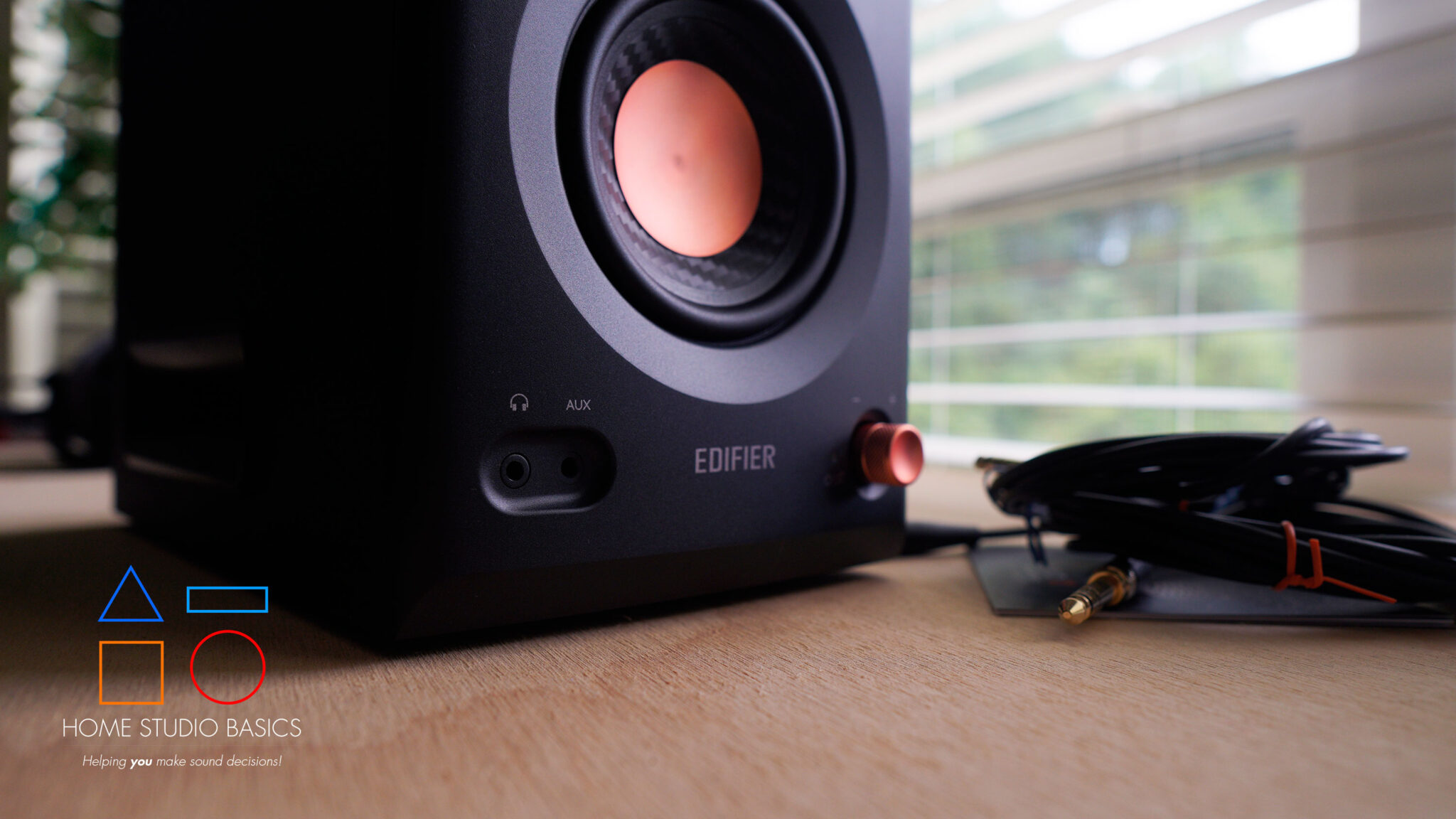
If you’re looking for an affordable pair of studio monitors that punch well above their weight, the MR5 should absolutely be on your radar.
Edifier has been quietly making some impressive speakers over the years, but this may be one of their most compelling offerings yet.
For starters, these are genuine three-way monitors with a surprisingly neutral presentation, articulate bass, clear mids, and excellent instrument separation.
And for the price? It’s pretty remarkable.
During my time with them, I was consistently impressed by how easily I could distinguish individual elements within a mix, make EQ decisions, and identify subtle details that lesser speakers tend to gloss over.
In other words, these aren’t simply glorified computer speakers masquerading as studio monitors. They’re legitimately useful tools for music production, mixing, and critical listening.
But they’re not perfect.
My biggest gripe is the slightly metallic, almost synthetic character that occasionally creeps into the presentation, particularly in the upper frequencies.
It’s not necessarily harsh or fatiguing, but compared to something like the Yamaha HS7, which sounds more organic and natural, the difference is noticeable.
And that’s ultimately why I still give the 305 an edge. To my ears, it has a more convincing overall timbre, even if the MR5 offers a compelling combination of detail, neutrality, and modern conveniences.
Speaking of which, the MR5 also brings Bluetooth connectivity, balanced inputs, and useful sound customization options to the table, making it an excellent choice for a multipurpose desktop or home studio setup.
#3
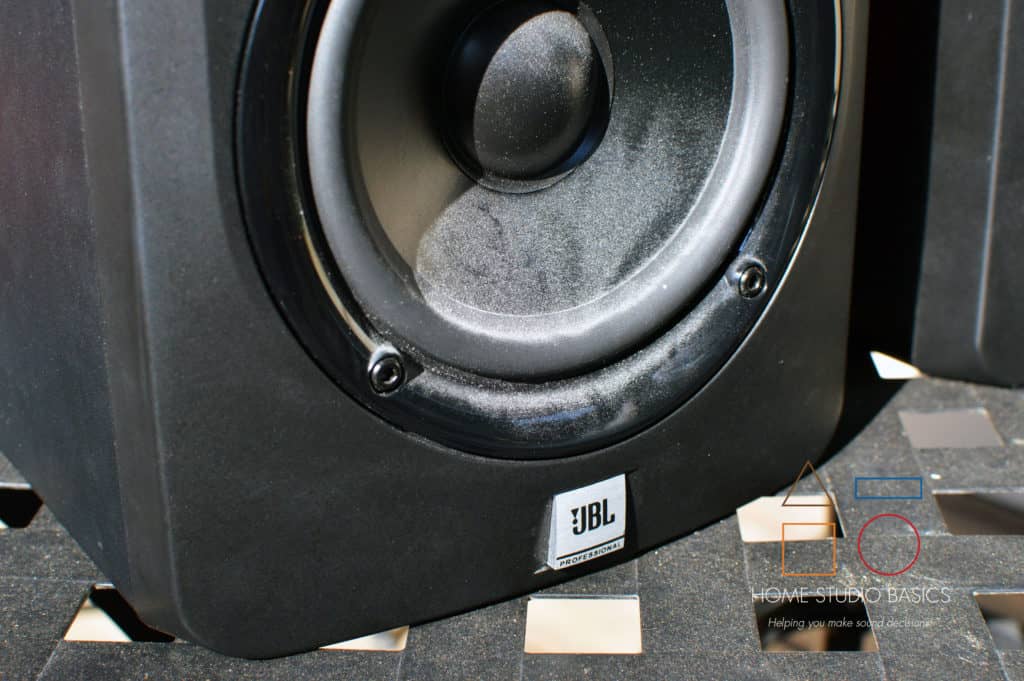
🥉JBL LSR305
Price: Check Amazon! | Sweetwater! | B&H! | eBay! | Official Review: Here!

This would make a great step up from the Eris’ and in fact, the 305s sat in my studio from 2014 – 2019 before I had to sell them for some quick cash.
Sometimes life sucks and is full of despair and endless suffering.
NEVERTHELESS.
We press on.
With 82W of total power, the JBL is a fantastic monitor with slightly more coloration, but not enough to make it a bad option for mixing.
These are fantastic monitors and have been getting rave reviews for what seems like a decade plus.
And I can tell you without a doubt that all the hype they have received over the years is truly warranted.
In addition to their robust build, they slam harder than Rowdy Roddy Piper in his prime, but the bass is in no way blobby, muddy, bloated, or overdone like your mom’s meatloaf.
It’s tight, clear, controlled, and has plenty of impact.
In addition, mid-range fidelity is excellent, and the treble sparkles without getting out of line.
If there were ever a near-perfect set of speakers at this price point, the LSR305 fits the bill.
And, like the e3.5, you can kick back with some tunes if you want.
Is the 305 perfectly flat? Nah.
But it also doesn’t come close to delving into horrific-bass-mud-KRK-territory either.
And at its price?
You absolutely owe it to yourself to hear a pair.
I promise you won’t be sorry.
I used them for many years, and my mixes came out really good.
Here’s an example of one:
In any event, like the e3.5, they are rear-ported, so try to situate them away from the wall.
We’ll discuss that more in a bit.
Connections
They don’t have single-ended connections, but rather your choice of balanced TRS or XLR inputs.
Snag an audio interface like the Scarlett 2i2 or Universal Audio Volt 2.
From there, you could go with 2 pairs of TRS to TRS or 2 pairs of TRS to XLR.
The choice is yours. I personally used TRS to XLR back when I owned a 2i2, but your mileage may vary.
- Recommended: What does an Audio Interface Do?
#2
🥈Yamaha HS7
Price: Check Amazon! | Sweetwater! | B&H! | eBay! | Official Review: Here!

Note: the HS5 is also an option, but I’d rather you just go straight for the HS7 as it’s more powerful and has a deeper bass response (43Hz vs. only 54).
In other words, if you were considering the HS5 primarily because of its smaller footprint, something like the SP3 may actually represent a better value depending on your needs.
In any event, the HS7 is certainly one of the best purchases I’ve ever made for my studio, and the reason is pretty simple: these, like the SP3, are wonderfully neutral and sound incredibly accurate with an array of genres.
In fact, the SP3 and HS7 are eerily similar when it comes to overall tuning, but the SP3 has a bit more mid-bass emphasis around 60-90Hz and arguably sounds a bit brighter in the upper mids moving into the treble.
The HS7, like the SP3, provides good instrument separation, a clean and clear overall sound with fantastic resolution, and essentially what amounts to a blank canvas for your mixes.
In other words, you’re getting a good sound signature that doesn’t unnecessarily exaggerate certain frequencies or try to make everything sound more exciting than it actually is.
The sub-bass is rolled off below 40Hz, the mid-bass around the all-important 60-90Hz region is slightly accentuated, and the mud regions from about 100-300 Hz are cut or remain relatively flat.
The mid-range is almost perfectly neutral with a slight boost around 1kHz, while the treble avoids being overly essy around 8-9khz and provides some air after 10kHz.
So pretty much the ideal sound signature for mixing and mastering, at least in my experience.
Like the Eris e3.5, you may stop and go, “That’s it?!”
In other words, as another Amazon reviewer put it, you may wonder why they sound so “normal.”
If you’re new to recording, I can assure you this is a good thing.
It means your monitors are doing their job, and you’ll eventually start to notice all sorts of small, seemingly insignificant details that were previously lost in other inferior products.
And that’s where the HS7 really shines.
Beyond its neutrality, there’s a natural, almost effortless quality to the presentation that I’ve come to appreciate more and more over the last few years.
Instruments sound convincing, vocals have a wonderfully organic character, and the overall presentation is slightly warmer and more relaxed than something like the Adam Audio T7V.
It’s the kind of sound you can listen to for hours without feeling like the speakers are constantly demanding your attention.
And for a monitor that’s supposed to help you make accurate decisions rather than simply entertain you, that’s a pretty valuable quality.
Pair these with something like an HD600 or K702, and you’ve got a great 1-2 monitor/headphone punch.
While monitors should remain your primary reference, a good pair of studio headphones can help verify imaging, detail retrieval, balance, and other subtle aspects of a mix.
So why aren’t the HS7s #1?
Well, for awhile, they were.
I genuinely didn’t think I’d ever have much reason to replace them, and even now, I still consider them one of the smartest investments I’ve ever made in my studio.
But after spending considerable time with the Adam Audio T7V, I began noticing some differences that ultimately tipped the scales in its favor.
The Yammys still have that wonderfully natural, relaxed presentation, but the Adam sounds a bit cleaner, airier, and more spacious, with greater separation and deeper perceived bass extension.
These aren’t night and day differences, and I certainly wouldn’t suggest that anyone who already owns the HS7 needs to rush out and repalce them. Far from it.
But if you’re starting from scratch and trying to decide between the 2, there are som compelling reasons to consdier the T7V instead.
And that brings us to my new #1.
#1
🥇Adam Audio T7V
Pricing: Check Amazon! | eBay! | Sweetwater! | B&H! | Official Review: Here!
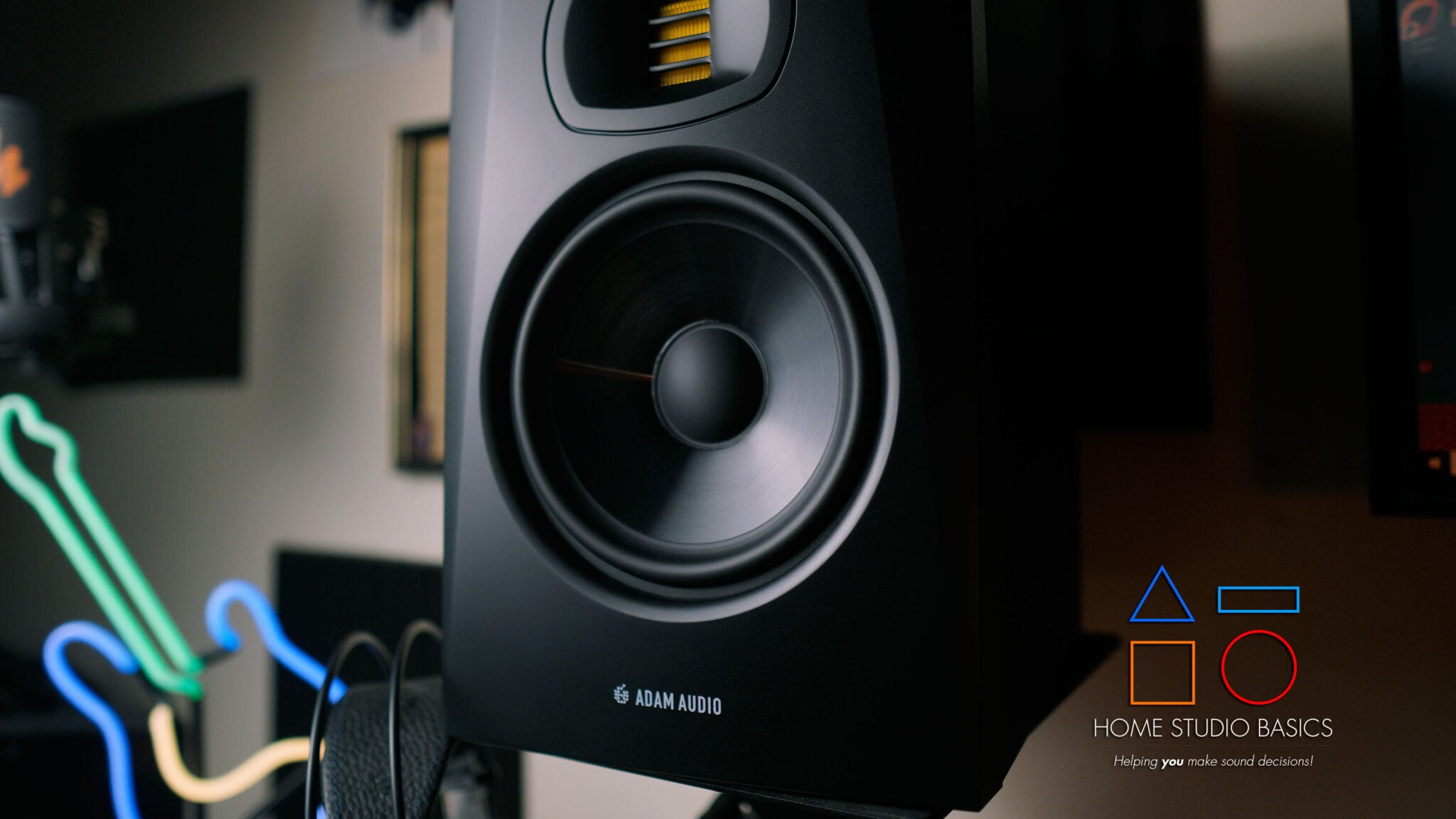
For years, I considered the HS7 the gold standard for my home studio.
They were accurate, dependable, incredibly revealing, and just about everything I could have asked for in a studio monitor,
In fact, I was so satisfied with them that I really didn’t think I’d ever have much of a reason to switch.
Then I heard the T7V.
And wouldn’t you know? I actually prefer them slightly over the HS7.
Don’t get me wrong: the HS7 is still an incredible monitor, and I’m keeping it around. I also wouldn’t hesitate to recommend it to anyone looking for a reliable reference monitor.
But after spending considerable time comparing the 2, I began noticing some differences that ultimately tipped the scales in Adam’s favor.
For starters, the T7V sounds a bit cleaner, airer, and more spacious.
The Soundstage feels wider, instruments have more room to breathe, and individual elements within a recording are easier to distinguish.
This is especially apparent with dense, layered mixes where separation and clarity become increasingly important.
The T7V also provides a greater sense of openness in the upper frequencies, helping reveal subtle details without everything feeling congested or overly intimate.
And then there’s the bass.
Compared to the HS7, the T7V seems to reach a little deeper, giving kick drums, bass guitars, and other low-frequency elements a more complete sense of weight and extension.
For music production, these differences can be incredibly useful.
When you’re trying to determine whether 2 instruments are competing for space, whether a bass line needs adjustment, or whether a particular element is sitting correctly in the mix, that extra sense of separation can make the process feel more intuitive.
So what does the HS7 do better?
To my ears, the Yammys have a slightly warmer, more relaxed presentation. There’s an organic quality to its sound that makes it especially enjoyable over longer listening sessions.
And depending on your preferences, you may actually favor that approach.
The T7V, by contrast, strikes me as a bit more analytical and revealing.
Neither presentation is inherently wrong, but for the kind of critical listening, mixing, and production work I do, I’ve come to appreciate what Adam brings to the table.
And that’s ultimately why it takes the #1 spot.
It isn’t because the HS7 suddenly became a bad speaker. No sir-ree bob.
It’s because the T7V takes many of the qualities I already loved about the HS7 and improves upon several of the areas I value most: clarity, separation, soundstage, and low-frequency extension.
If you’re building a home studio and want a monitor that can serve as a dependable reference for years to come, the T7V is where I’d start.
And considering how much I love the HS7s, that’s saying something.
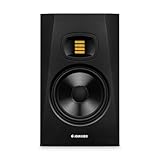
- Transformative feedback for recording, producing, or mixing – The implementation of ADAM Audio’s signature tweeter design and accurate acoustic characteristics found in the T7V’s ensure you get the reliable feedback you need for your next best mix
- High resolution audio designed in Berlin – The HPS waveguide and U-ART tweeter combine to deliver detailed sound across the high frequency spectrum
- Adjustable to fit your room – A beveled cabinet with a rear-firing bass reflex port allows placement anywhere, even with limited space. High- and low-shelf DSP-based filters allow for optimal adaptation in acoustically difficult listening environments
- Plug and play it loud – Multiple analog connections give you the flexibility to integrate various soundcards and home audio devices
- Extend your low end with ADAM Audio’s T10S subwoofer, which is perfectly matched to work best with the T5V and T7V studio monitors. Accurately monitor the low frequencies with precision to guarantee you make the best choices in your mix

Setup & Placement

Now that we’ve gone over some excellent options, let’s talk a bit about setup and placement.
Proper placement is arguably just as important as the monitors themselves, since even the best speakers can perform poorly when positioned incorrectly.
If you haven’t already, take a moment to familiarize yourself with the fundamentals of studio monitor placement and positioning before continuing.
To start, all of these monitors (and most in general) are active, meaning they have their own internal amplifier and do not need a separate one to function.
If you’re unfamiliar with the differences between active and passive designs, it’s worth understanding how each approach works before making a final decision.
They do, however, need 2 separate power sources.
So, plan on having 2 outlets available in your studio before purchase.
Secondly, all of these monitors are rear-ported, which is just another way of saying that the low-end exits from the back.
This means you’ll want to situate them away from the wall as much as possible while strategically adding some acoustic panels where you can.
While no studio is perfect, even a basic understanding of acoustic sound treatment can dramatically improve monitoring accuracy and help eliminate many of the room-related issues that plague beginner setups.
Why?
Because it will help ensure the sound isn’t bouncing all over the place, a problem that results in uncertainty while mixing, but can also lead to a potentially poor mixdown.
Placement
Going further, they should be at about ear level and in an equilateral triangle formation towards your head.
If you don’t want to jerry-rig it, try some of these monitor stands I recently bought that easily attach right to your desk.
This will ensure you’re hearing the best imaging possible when placing sounds, instruments, and voices.
You’ll know they’re placed correctly when the sounds give off the illusion that they’re coming from various positions behind the speakers.
To test it out, just listen to some music from your favorite app.
If the artist did a good job mixing and panning, you’ll be able to place instruments and voices a lot better while clearly visualizing them on stage.
In your own mixes, this will help immensely in panning sounds appropriately for the track in question.
Also, any movement of your head outside of “the zone” can affect the sound a great deal.
Once you have them situated, try moving your head in different directions while the music is playing.
Sounds different, yeah?
As you can see (erm, hear), Studio Monitors and their ramifications are a pretty big deal – but what about room size?
General Room Sizes
I get asked this question quite a bit, so I’ll go ahead and outline it here for you. All measurements are in feet.
Generally speaking:
- Small Room – 10×10 or smaller
- Medium-Sized Room – 12×12
- Large-Sized Room – 14×14, 14×16 or larger
For reference, my room is probably considered medium-large at around 12×14, but I still may not try to stuff a 308 or HS8 in that space. I’m better off with at max, an HS7.
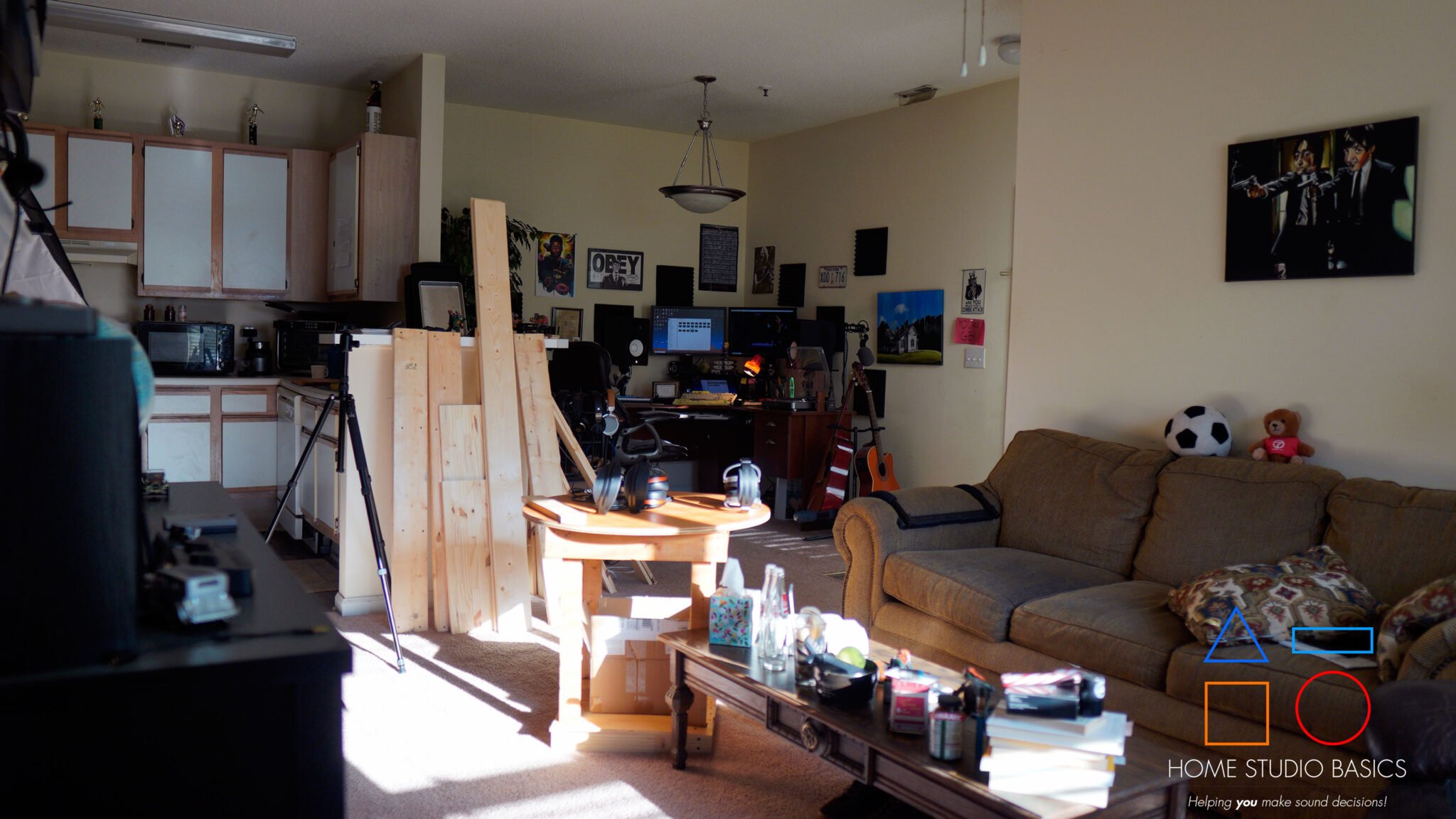
In fact, in 2023, I moved my studio out of my boxy bedroom and into the dining room that I never used.
This large, irregularly shaped room that feeds directly into my living room (also overlooking the kitchen) is incredibly open, giving sound room to travel without bouncing around like a trampoline park.

Guidelines
If you have a small room (10×10 or smaller), stick to the Eris E3.5, LSR305, and SP3.
If you have a medium-sized room (12×12) or thereabouts, stick to the LSR305 and HS7.
If you have a large-sized room (14×14 or larger), you can comfortably put in an HS8, LSR308, etc.
Generally speaking, any monitors with 8″ woofers are best in larger rooms.
What you’ll need
I’d be remiss if I didn’t talk about the components you’ll need to get these fired up.
If you’re new to recording, plan on purchasing the following items:
#1
An Audio Interface
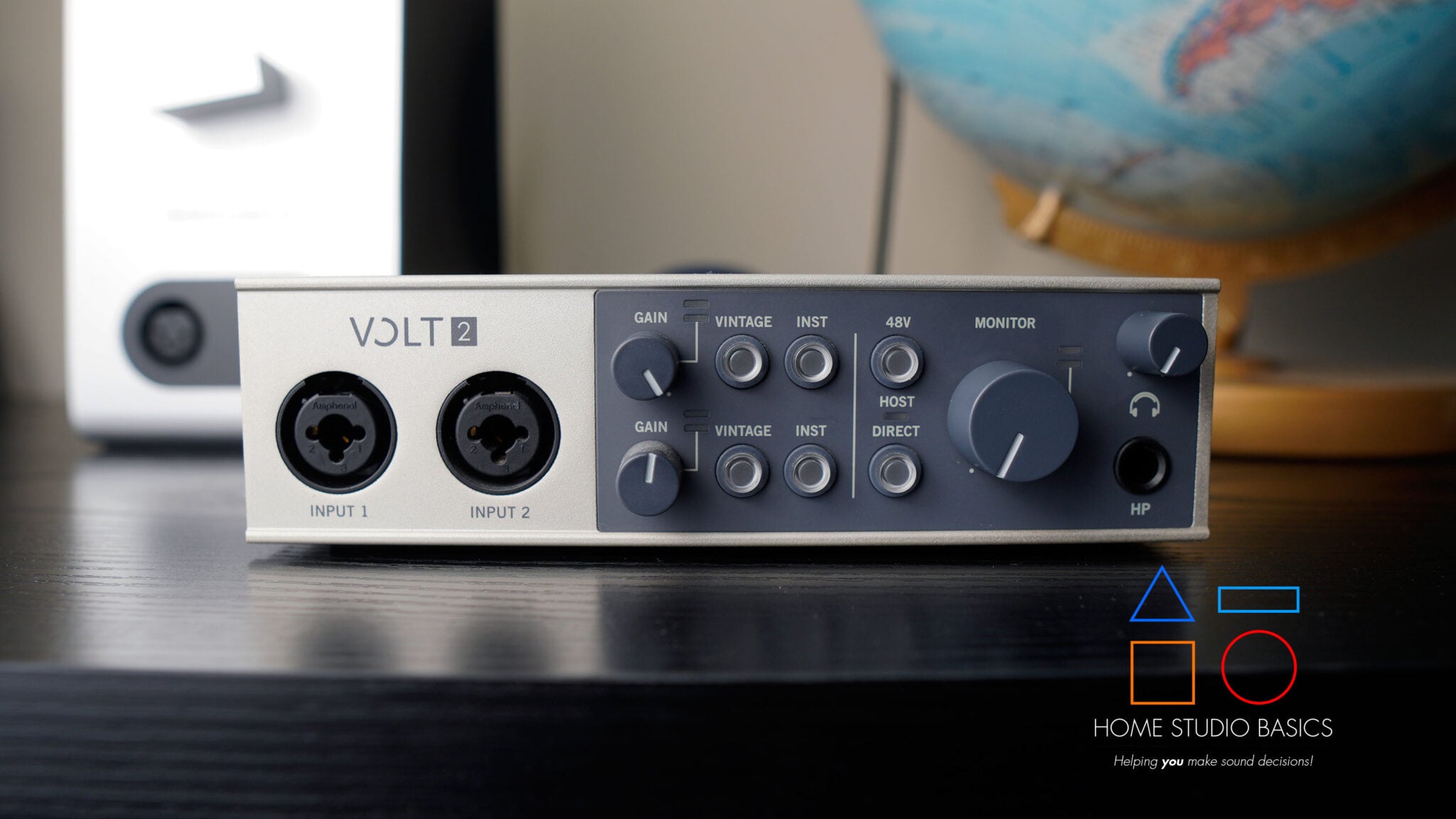
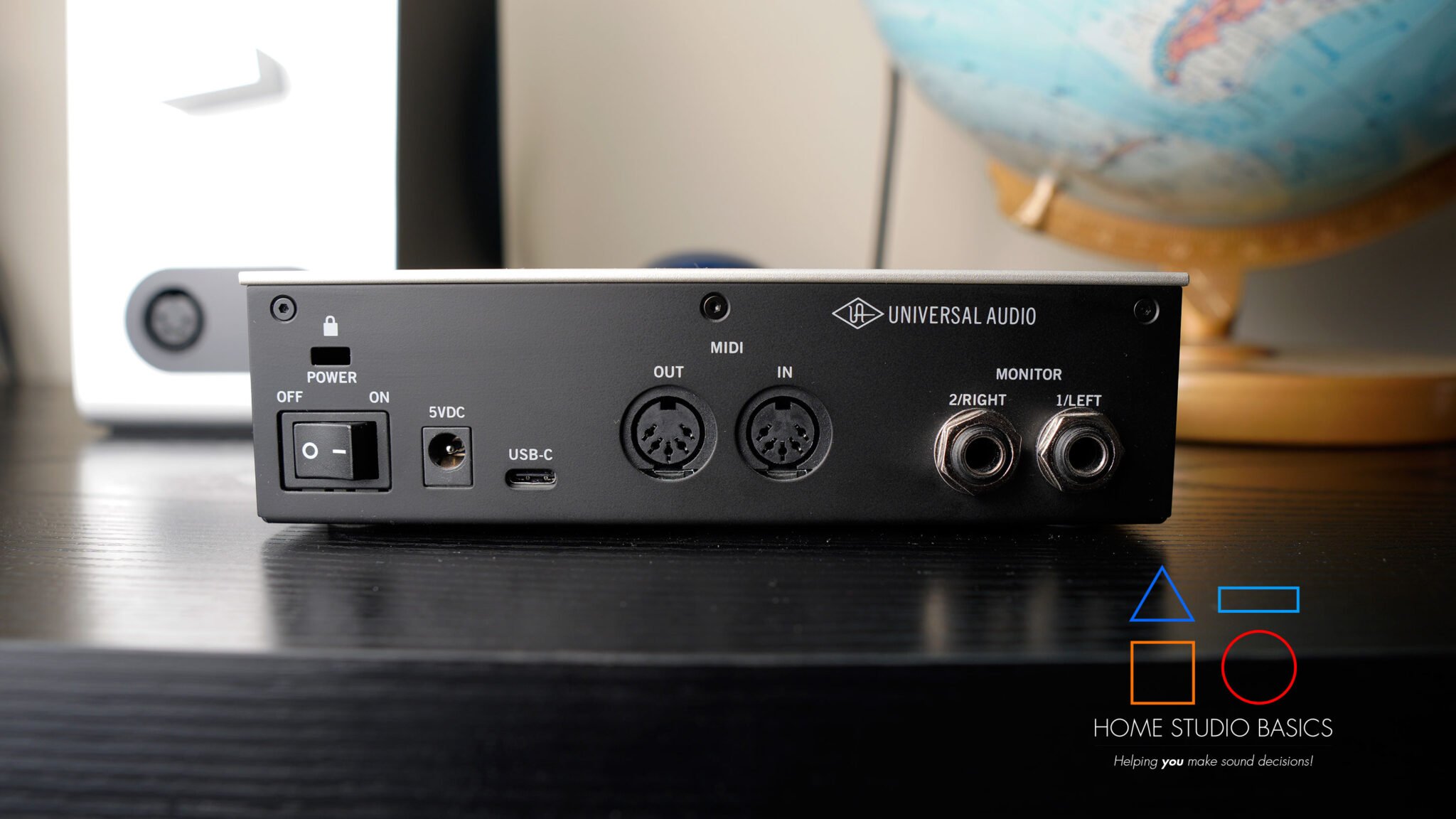
An interface acts as the central hub for everything you do in a recording environment.
It connects to microphones, converts analog signals into digital information your computer can understand, and handles playback duties through its built-in digital-to-analog converter (DAC).
If you’re unfamiliar with exactly how an interface works and why it’s such an important piece of studio equipment, it’s worth taking some time to understand its role before building out the rest of your setup.
It provides a headphone output in case you want to switch back and forth between monitors and headphones. Since interfaces contain DACs internally, understanding the basics of digital-to-analog conversion can also help clarify how audio travels from your computer to your ears.
A couple of great interface options would be the Universal Audio Volt 2 (pictured above) or Focusrite Scarlett 2i2; the former of which I own, and the latter I used to own.

- Get the rich, full album-ready sound of UA’s classic 610 preamps with Vintage mode
- Capture every detail and nuance of your performance with up to 24-bit / 192 kHz quality and crystal clear converters
- Record and mix with the award-winning LUNA Digital Audio Workstation, giving you the sound and workflow of a real analog studio
- Create using the same UAD plug-ins and instruments trusted by top industry pros for the sound of your favorite records
- Level up your recording and mixing skills with tips and tutorials for beginners to advanced users
#2
Cables
As mentioned earlier, plan on getting 2 pairs of TRS to TRS or TRS to XLR cables.
These run from the back of the interface to the back of your monitors.

- 1/4 to 1/4 TRS Cable ↔︎ the trs cable is designed to interconnect pro audio gear and DJ equipment such as studio monitors, electric guitar, bass, or keyboard to an amplifier mixer, amplifiers, and similar devices with balanced phone jacks. It may also be used as a stereo interconnect.
- Balanced Gold-Plated TRS patch cable ↔︎ Heavy Duty Gold-Plated Metal 1/4 inch(6.35mm) TRS connectors resist corrosion, provide durability and improve the signal transmission, ensures minimal signal loss.
- High Fidelity Instrument Cable ↔︎ 20 AWG 4N Oxygen Free Copper with shielding ensure high fidelity sound quality and provide maximum conductivity and signal clarity. a great choice for music lovers, It’s especially great for studio or live performances.
- High-quality 1/4″ TRS cable ↔︎ Heavy Duty Flexible Rubber and Nylon Braid Jacket Protect Your Cable, the outer diameter of the cable is 6.0mm(0.24 inch), Top quality and made by environment-friendly material, Polyethylene insulation improves high-frequency response, strong, flexible and durable.
- Superior Construction ↔︎ Despite multiple layers of shielding and insulation put in place for maximum noise isolation, this cable’s construction remains very flexible, doesn’t get tangled, and is easy to coil at the end of your gig. It comes with a re-usable velcro strap to keep it organized and tight when not in use.
#3
A MIDI Keyboard/Controller
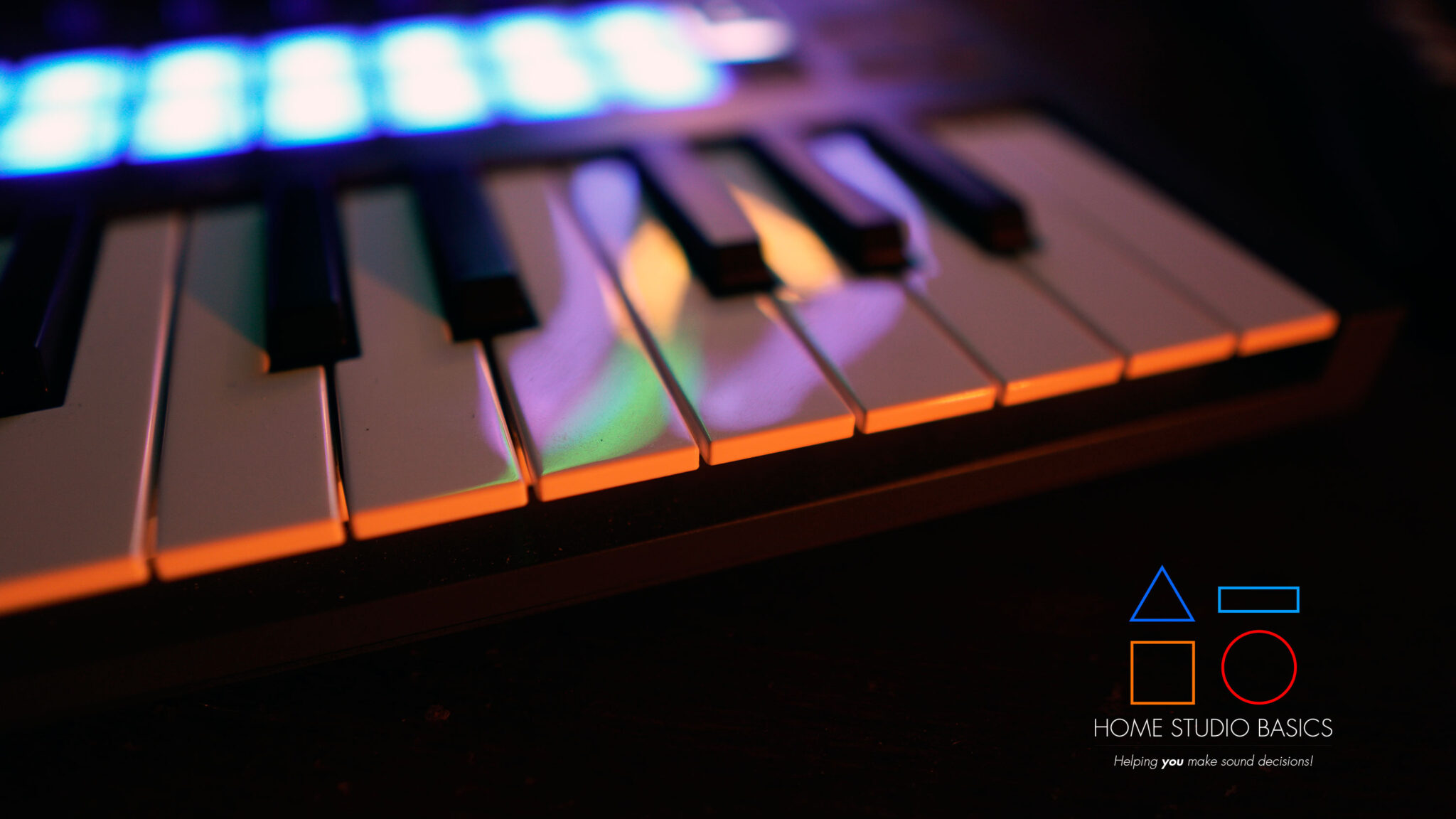
You can make beats/music without one, but it’s always better to invest in something solid that makes the process that much more fun.
I use the Novation FL Key Mini inside FL Studio, but Novation has a general Launch Key as well for use with other programs.
These handy little devices allow you to map samples, instruments, etc., and while the keys on them technically mean they’re MIDI “keyboards,” they’re actually MIDI Controllers because they don’t have sounds already built in. In other words, you’re the one assigning sounds, instruments, and samples to the pads via soundpacks, VSTs, samples from vinyl, etc.
If you’re still confused about the differences between MIDI data and actual audio, it’s worth taking some time to understand how MIDI works before purchasing a controller, as the distinction often trips up beginners.

- Designed for FL Studio: Produce music easily with essential DAW controls at your fingertips. No need to assign controls manually; FLkey integrates seamlessly with FL Studio
- Mixer and Channel Rack control Adjust volume and pan with eight knobs
- Sketch beats fast with the step sequencer: Take control of FL Studio’s step sequencer with FLkey Mini’s pads, program drums easily in Sequencer mode and use Note Repeat for perfectly timed hi-hat rolls
- Play beats with feeling: Give your beats real human feel and play directly into the Channel Rack from FLkey 37’s velocity-sensitive pads
- Always stay in key with Scale mode: Choose your scale, unlock new melodic ideas and always hit the right note
#4
An XLR Microphone
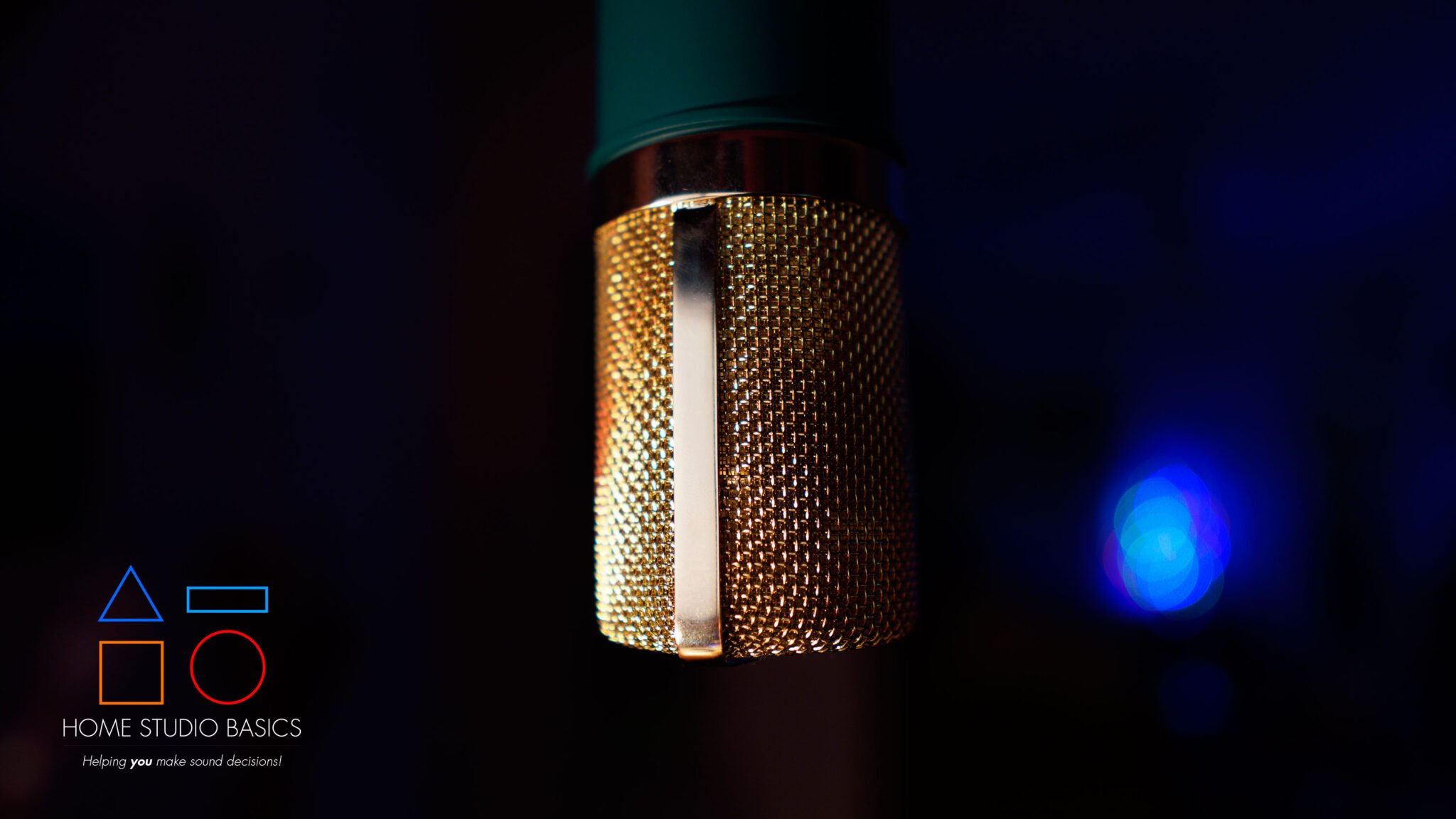
If, like me, you make beats and rap, you’ll obviously need some sort of microphone.
There are many types, but generally speaking, dynamics and cardioid condensers work well in the studio. Dynamics typically reject sound a lot better and don’t need phantom power, but they do need plenty of gain from an interface and/or preamp.
Right now, I’m using a Shure SM57/A81WS Windscreen/Volt 2/Triton Fethead combo (above) for rapping, and it’s magnificent. I have other mics here as well, including the MXL770, 990, V67G, among others, but I find the SM57 with some EQ sounds excellent.
And that’s it!
The interface plugs into your PC/Laptop via USB, and from there, you’re ready to mix down some tracks.
Check out my article on how to record vocals and audio in FL Studio for a step-by-step guide.
Final Recommendation
As for my top recommendations, I’d go with the Edifier MR5 if you’re on a tighter budget, and the ADAM Audio T7V if you’re looking for the best overall studio monitor on this list.
The Yamaha HS7 remains an excellent alternative, especially if you prefer a slightly warmer, more relaxed, and natural presentation.
That said, don’t feel like you have to spend a fortune to get great sound. Any of these monitors can serve you well depending on your budget, room, and intended use.
Ready to upgrade your studio?
Well that’s about it for today my friend! I hope you’ve enjoyed this article on The Best Budget Home Studio Monitors For Mixing and came away with some valuable insight.
Questions? Comments? Requests? Did I miss the mark on something? Please let me know down below or Contact me!!
If you love what I do here and want to support the blog and channel in a more personal way, check me out on Patreon and discover all the value I have to offer you.
Just want to make a one-time donation? Click here. Your support is greatly appreciated and helps keep this site running!
Which of these monitors are you most likely to go with? I would love to hear from you. Until next time…
All the best and God bless,

-Stu
Can’t decide which headphones to purchase? Interested in a complete buyers guide outlining over 40 of the best options on the market? Click on over to the best audiophile headphones to learn more!!
Be sure to also check out my Reviews and Resources page for more helpful and informative articles!




this blog is very helpful to me and help in selecting a best studio monitor and speaker under my budget it helps me a lot. thanks a lot
My pleasure Deepak! Which one did you go for?