Part VI: MIDI Keyboards & Controllers
And the differences between them
It’s hard to imagine a scenario where not having a MIDI controller or keyboard would be acceptable.
Without one, it’s rather difficult, if not impossible, to lay a beat down or play samples and instruments.
Fortunately, it’s much easier to get started nowadays.
When I began back in 2007, you needed MIDI cables.
Today, you don’t. Most gear works off of Bus Power and is super simple to set up with programs like FL Studio.
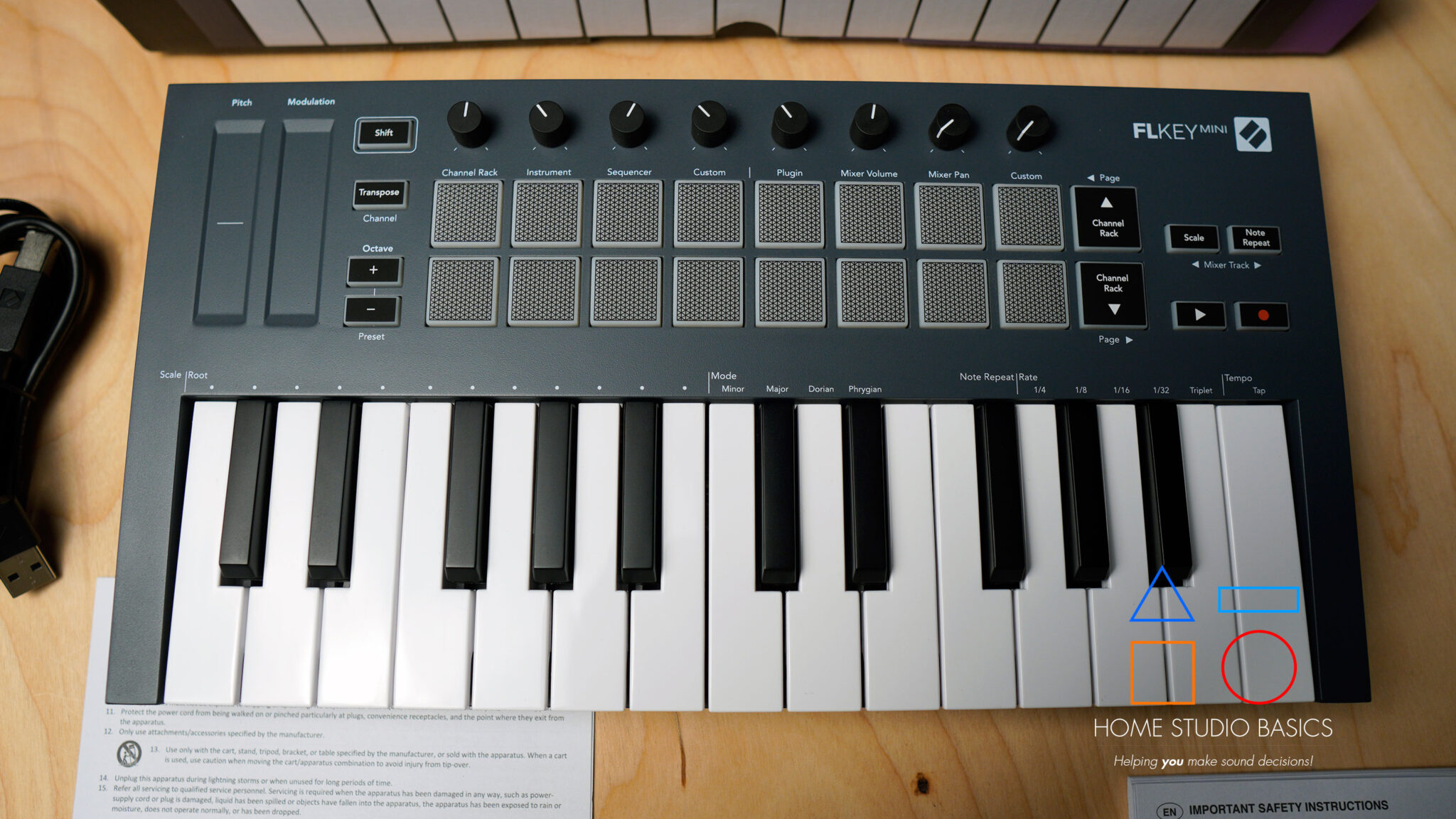
Though I have the Novation FL Key Mini and do recommend it, it’s worth it to go straight for the 37-key version.

- Designed for FL Studio: Produce music easily with essential DAW controls at your fingertips. No need to assign controls manually; FLkey integrates seamlessly with FL Studio
- Mixer and Channel Rack control Adjust volume and pan with eight knobs
- Sketch beats fast with the step sequencer: Take control of FL Studio’s step sequencer with FLkey 37’s pads, program drums easily in Sequencer mode and use Note Repeat for perfectly timed hi-hat rolls
- Play beats with feeling: Give your beats real human feel and play directly into the Channel Rack from FLkey 37’s velocity-sensitive pads
- Always stay in key with Scale mode: Choose your scale, unlock new melodic ideas and always hit the right note
This is because it has a feature that makes it easy to switch patterns inside FL Studio. The standard 25-key does not. For me, this is a huge limitation and cuts into the workflow.
In any event, you’ll want some sort of MIDI Keyboard or MIDI Controller. While an FL Key is meant for FL Studio, the standard version that works with most other programs is simply called the “Launch Key.”
MIDI Keyboard vs. Controller
The differences are quite simple. A “Keyboard” contains its own samples and sounds; a “Controller” does not.
Controllers are mostly for sample-based producers/those looking to record with their own instruments, while Keyboards are much more versatile.
You may be wondering about the FL Key. Isn’t it just a controller? Yes, but technically, since it has “keys,” it can sort of be called a keyboard.

MIDI Keyboards
An example of a MIDI keyboard that also has its own built-in sounds and effects is the Korg Minilogue XD.
It functions as a full MIDI keyboard, meaning it can send MIDI data to a DAW or external gear, but it’s also a standalone analog/digital hybrid synthesizer capable of generating sound on its own.
Unlike basic MIDI controllers that rely entirely on software instruments, the Minilogue XD includes its own oscillators, filters, effects, and audio outputs, allowing it to be played and recorded without a computer. This makes it a versatile option for producers who want both MIDI control and an independent hardware sound source in one unit.
What You’ll Learn In The Next Section
- ✅ Getting Started with Turntables – Discover the challenges of owning a turntable for the first time, and how the Audio Technica AT LP60 USB model simplifies the process, especially for sampling.
- ✅ The Joy of Collecting Records – Explore the nostalgia of hunting for vinyl records at thrift stores, and the thrill of discovering hidden musical gems.
- ✅ The Art of Sampling – Learn how hip-hop producers have shaped their music by sampling old records, and why this practice is a cornerstone of the genre.
- ✅ Famous Samples – Dive into classic examples of sampled songs like Ice Cube’s “It Was A Good Day” and Ahmad’s “Back in the Day,” and uncover the artistry behind the samples.
- ✅ The Turntable Experience – Whether you’re collecting or sampling, having a turntable in your studio can greatly enhance your music discovery and production process.