Secure Recording: Keeping Your Digital Audio Files Safe
Image: Pixabay
The act of producing audio is inherently creative.
It involves transforming an idea into something that can be heard, often using a computer as the primary tool for recording, editing, and mixing. When working on a project, it’s common to become fully immersed in the process – so much so that we forget about potential dangers lurking in the digital world.
The reality is, any computer-based project carries risks. Corrupt files can render all your hard work useless in an instant.
Data breaches mean someone could steal your audio files or personal info. If a hacker uses ransomware to attack your system, you may find yourself locked out of vital project data unless you pay a hefty sum – or worse still, lose everything because you don’t have backups.
With music production increasingly taking place in home studios set up on computers connected to networks, the importance of cybersecurity has become as essential as getting a good sound. If you want to protect what you create, plus your identity and the integrity of your work, then making sure all areas of potential vulnerability are safe from harm makes sense.
Why Audio Files Are More Valuable Than You Think

Image: HomeStudioBasics
When you’re working on a track, it’s easy to forget that everything you produce has value.
Whether you’re working with WAV files or MIDI tracks, each session folder represents a lot more than just the sum of its parts – it also contains your time, creativity, and emotional input. Even demos can be important. Why? Because the ideas contained within them are unique and can never be recreated in exactly the same way again.
Whether you’re a professional or a hobbyist, losing audio recordings can be a disaster. If you’re a pro, it could mean anything from missing a deadline to damaging your relationship with a client to losing money – and if you’re working on a personal project in your spare time, there’s no safety net.
Even if they are not for commercial use, voice recordings, podcasts, sound design assets, and unfinished mixes all contain intellectual property that is valuable to you; when something goes wrong, and those things disappear, it hurts.
The value of your work is the first thing to consider if you want to make security part of your creative process. When you understand how much your recordings are worth, you will see why keeping them safe is a priority.
Understanding Digital Threats in the Studio
Cyberthreats aren’t something that only large corporations face. Home producers, podcasters, and small studio owners are increasingly becoming targets. Malware, data breaches, and browser-based threats can compromise your system without warning.
To better understand how these threats work at a basic level, you can find a simple and accessible explanation in this guide from Moonlock, where they describe how common Safari-based viruses spread and how users can protect themselves from them. This type of background knowledge helps studio owners understand how easily a system can be attacked, and why staying proactive matters.
Cybersecurity does not have to be an afterthought in your creative workflow. In fact, when you begin viewing cybersecurity as an integral part of the process—just like writing, designing, or editing—it becomes second nature to take the necessary precautions for keeping your digital world secure.
The Importance of Secure Storage
Regardless of whether it is a mere voice recording or a very complex Orchestral mix, every recording project demands safe and steady storage. In the case of any emergency or sabotage, your files can only be salvaged at the mercy of your chosen storage method.
It’s easy to use local storage, but it’s also dangerous. If it fails, everything may be gone from your hardware. However, cloud storage increases redundancy, but one has to ensure that it is used properly. The truth is that not every cloud storage service comes with a high encryption level. Some may even expose your data to third-party users. Therefore, it is advisable to take a middle course, i. e. Use multiple storage locations and encrypt all critical data.
Image: Pixabay
Choosing the Right Storage Hardware for Audio Work
In addition to cloud solutions, another important aspect of data protection is the physical equipment you use. Using a low-quality or unsuitable storage drive can put your business at greater risk of data loss due to hardware failure.
Solid State Drives (SSDs) have proven themselves to be faster and more reliable than traditional Hard Disk Drives (HDDs) when it comes to recording and editing.
But even with their advantages, SSDs can fail without warning – and when they do, you’ll want a backup plan in place. That’s why it’s important to set aside an external drive just for backups: So if something goes wrong with your computer or SSD while you’re working on a project, you won’t lose any data. It’s a good idea not to use this drive for anything else.
For the more tech-savvy, Network Attached Storage (NAS, but not the rapper) devices are a possibility, allowing for continued access to your files, even in the event of drive failure. The drawback is the need to set it up and monitor it. Think of a NAS drive as creating your own “personal cloud” on your network.
Safe Workflow Practices for Everyday Recording
Security isn’t something you set once. It’s a daily habit. Many producers don’t realize that small, careless actions expose them to big risks. Leaving software outdated, downloading questionable plugins, or running unverified installers can invite malware into your production environment.
Creating a safe workflow doesn’t require deep technical knowledge. It only requires awareness and consistency. Think of it like proper microphone placement: small habits lead to big differences.
Separating Creative and Administrative Environments
One security measure that is often overlooked, but highly important, is separating creative work from administrative tasks.
When you do both on the same computer and while using the same login session (for example: surfing the Web, checking your email with attachments, installing unrelated software), you are increasing the chances of a successful attack on your creative work resources.
Whenever possible, keep your production environment “clean.” This might mean:
- Using a dedicated user account for audio work
- Avoiding casual web browsing during recording sessions
- Installing only tools directly related to production
This separation reduces exposure and keeps your Digital Audio Workstation (DAW) environment stable, predictable, and secure.
Practical Measures to Protect Your Audio Files
- Use strong, unique passwords for your computer and cloud accounts.
- Update your DAW and plugins regularly.
- Keep your operating system patched with the latest security updates.
- Turn on automatic backups to multiple locations.
- Scan downloads before installing them.
- Disconnect external drives when not in use.
- Use a reputable antivirus tool.
File Organization as a Security Tool
Organizing your files properly does more than just help you work efficiently. It also plays a role in protecting them.
By creating a system with clear folder names and structures – like ‘sessions’ – you can easily see what needs to be backed up or encrypted; making recovery simpler should something go wrong.
It’s easy to overlook important data when you’re backing up–especially if you store files on your desktop and in a disorganized mess of folders. But when everything is organized by project, you’ll make fewer mistakes (like forgetting to back up critical files), recover faster from mistakes, and avoid deleting the wrong file by accident.
Think of organization as part of your studio’s “defense system.”
The Role of Backups in Creative Protection
Making backups of your data is important, just like using any other creative tool. In fact, backups are so essential that every professional recording studio has a regular backup routine – and if you’re recording at home, you should too.
Having a backup strategy with three elements will give you peace of mind: an external drive for instant recovery and local storage, a cloud backup service to protect against physical damage or theft of your hardware, and a separate archive where you keep finished projects for the long haul.
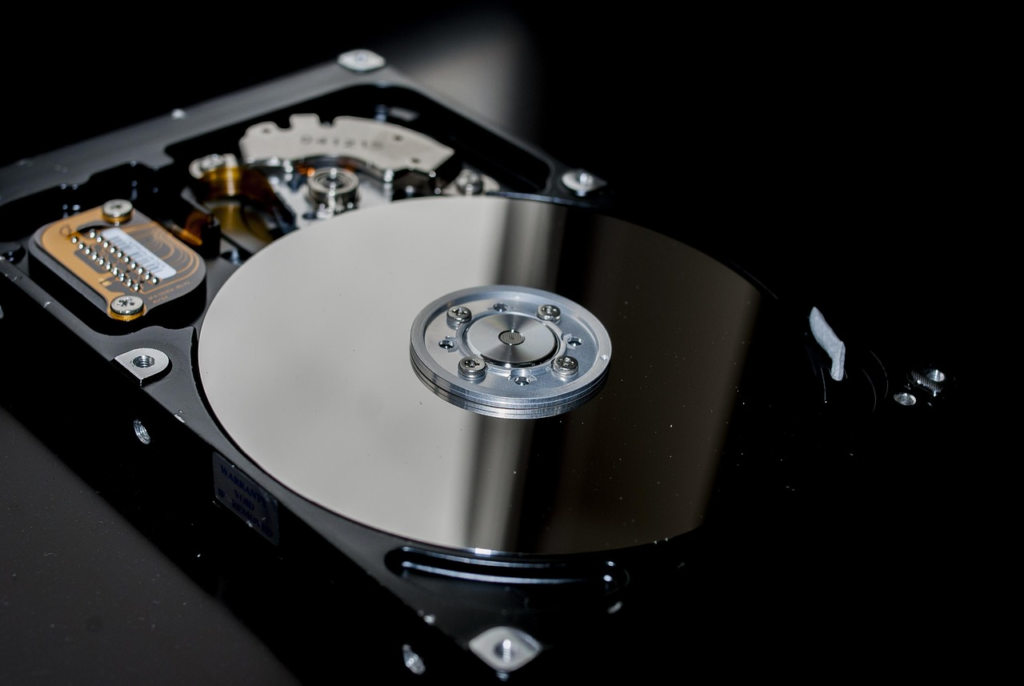
Image: Pixabay
Automating Backups to Avoid Human Error
A common risk to data backups is humans forgetting to make them.
Fortunately, this problem can be eliminated by automating your backups. When backups are automated, they occur without any human intervention, meaning that they cannot be forgotten, even when you are busy, stressed, or preoccupied with other tasks.
Many operating systems and backup tools offer incremental backups. This feature only backs up the data that has changed since your last full backup. It doesn’t duplicate everything from scratch like a full backup would – so it uses less space, and the whole process is quicker too.
Automation ensures that security happens quietly in the background, allowing you to focus on creativity.
Ransomware and Why Creators Are Targets
Ransomware attacks can be a disaster for music and audio creators. Hackers use software to encrypt (lock) all your files and then demand money in exchange for the decryption key. If you are attacked while you are working on a project, you may panic about losing all your work and meeting deadlines as the clock ticks away.
Creators are attractive targets because:
- Projects are time-sensitive
- Files are often irreplaceable
- Backups are sometimes inconsistent
The best defense is prevention: offline backups, updated systems, and cautious download behavior.
Avoiding Dangerous Downloads and Pirated Plugins
When you’re first starting out producing music, it can be tempting to download free plugins and sample packs, or even piracy software.
But beware: this is one of the most common ways producers and DJs get their computers infected with malware. Malware is a type of software that’s designed to do harm. It can include viruses, keyloggers (which record every keystroke you make on your computer), and other types of malicious code.
In many cases, these files come bundled with what appear to be legitimate plugins or programs. And sometimes it’s not just downloads: even websites you think are giving you something for free can actually be infecting your computer with malware.
The best thing you can do to protect yourself is only download plugins and software from trusted sources. And never, ever install anything that doesn’t come from an official website.
Part of making art is making sure you have good tools, so it makes sense to get things legally instead of using ones that could make your computer sick.
Security for Collaboration and File Sharing
Working with others when producing music is very common these days – and there are some new risks you need to know about. If you’re not careful, sharing your stems, sessions, and mixes can be a recipe for disaster.
Rather than emailing files or using a link that never expires, use a secure file-sharing service that includes features like encryption and access controls. And when working with others, pay attention to permissions—make sure the right people have access to the right things.
Security doesn’t end at your studio door—it extends to everyone you work with.
Building a Long-Term Security Mindset
Cybersecurity is not a one-time fix, but rather an ongoing mindset. When you think about cybersecurity, you’re not just protecting your sessions; you’re protecting your time, energy, and creativity. Every session you record tells a story and represents a part of your history.
Having a solid foundation for your studio isn’t only about avoiding danger: It’s also about creating an environment where you can work calmly and concentrate on making great music. By following these tips, you’ll ensure that everything runs smoothly—allowing your business to grow without any hiccups or worries!
Security as Part of the Creative Identity
Sound quality is important for any recording studio. So are workflow and artistic vision. But there’s another thing that helps define a great studio: security. Some people think being obsessed with security means you’re paranoid, but really, it just shows how much you respect your work.
Security isn’t just a priority; it’s second nature. The less you have to think about it, the more you can focus on the work. You have to look at your studio the way you do any important long-term investment: It only pays off if you protect it properly.
Well, that’s about it for today my friend! I hope you’ve enjoyed this article on keeping your digital audio files safe and came away with some valuable insight.
Questions? Comments? Requests? Did I miss the mark on something? Please leave them down below or Contact me!!
If you love what I do here and want to support the blog and channel in a more personal way, check me out on Patreon and discover all the value I have to offer you.
Does the Air5 sound like a worthwhile investment? I would love to hear from you. Until next time…
All the best and God bless,

-Stu

![How To Sample In FL Studio – A Complete Guide [Part I/Setup]](https://homestudiobasics.com/wp-content/uploads/2026/02/How_To_Sample_In_FL_Studio_1_Redo-768x432.jpg)


![How to Sample In FL Studio – A Complete Guide [Part IV/BPM, Piano Roll, Step Sequencer, & Playlist]](https://homestudiobasics.com/wp-content/uploads/2026/02/How_To_Sample_In_FL_Studio_4_Redo-768x432.jpg)